取組
Torikumi

All your sumo, in your pocket — every sekitori's face, form and record, the live banzuke, and the wrestlers you follow. Without spoiling the day you haven't watched yet.

Private app · installed directly, not from the Play Store · Android

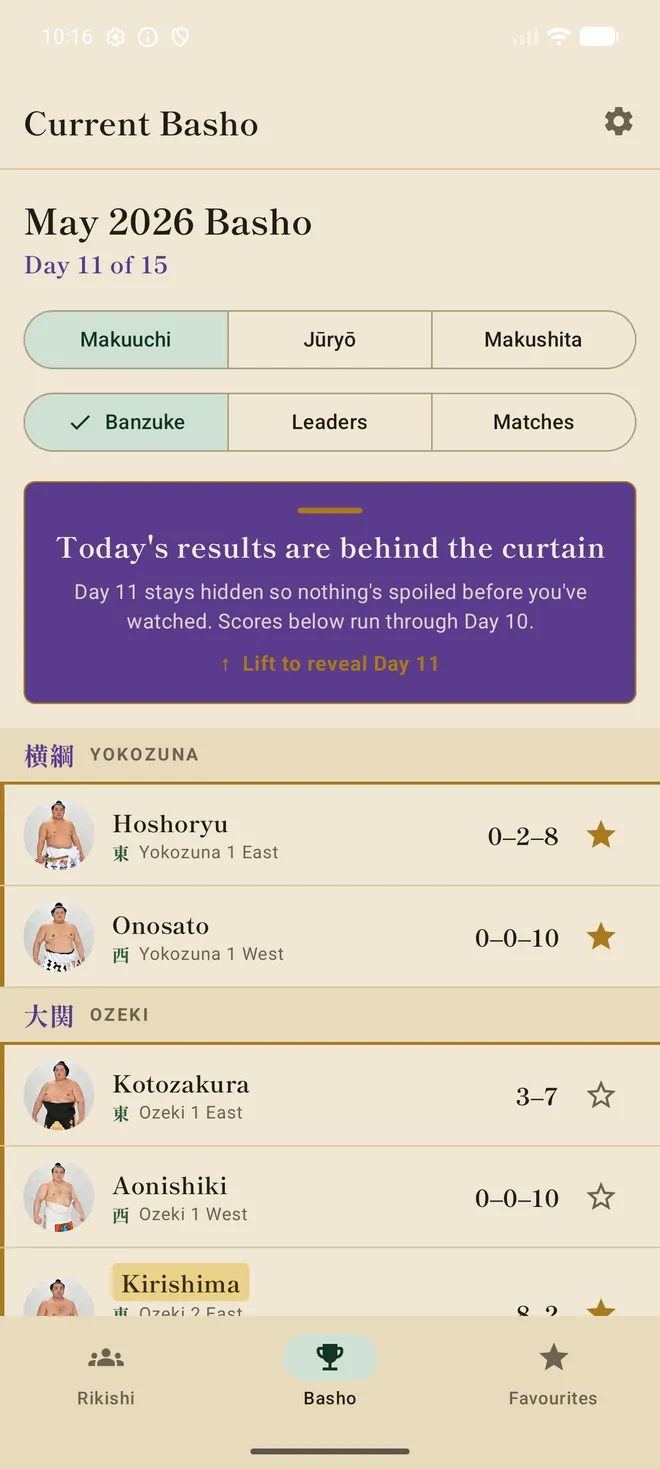
The Torikumi Basho screen, with today's results hidden behind a curtain
力士BROWSE THE RIKISHI

Every rikishi, at a glance

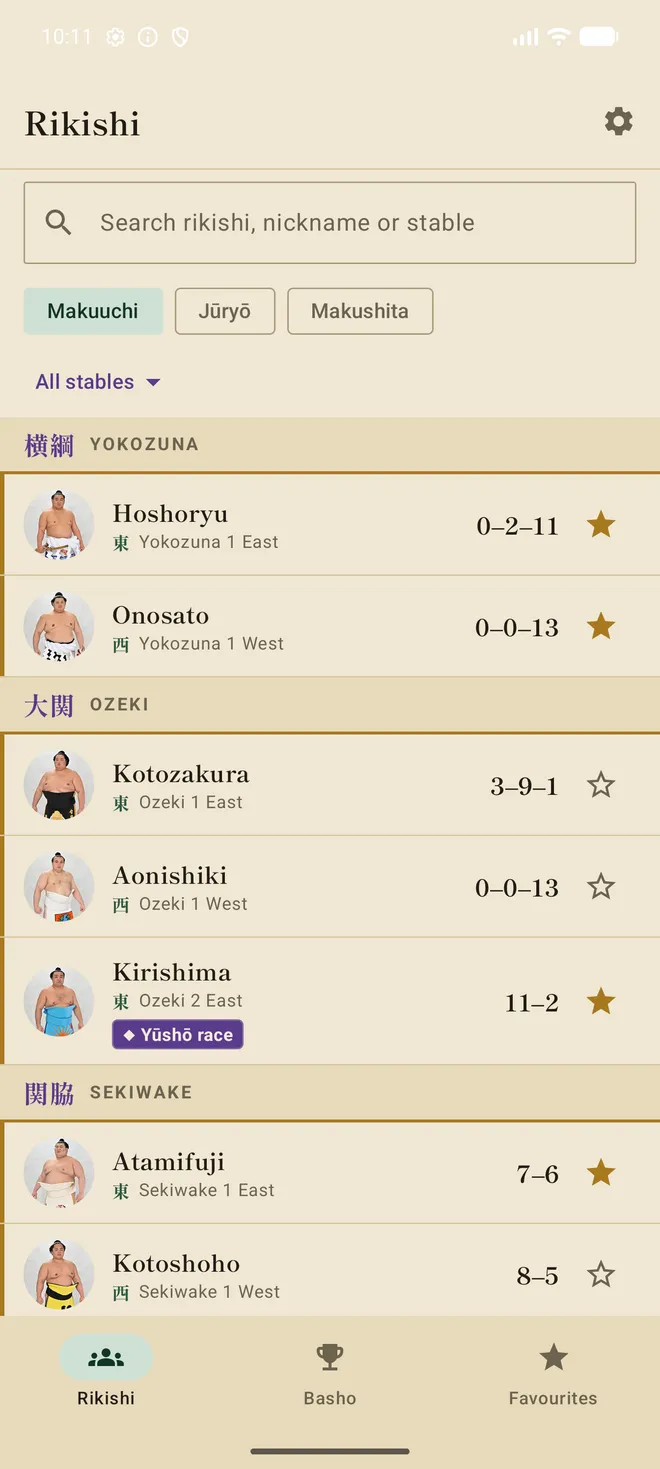
Both top divisions — plus Makushita — laid out like a living banzuke. A photo of every face, their rank and side, this tournament's record, and the storylines worth watching. Search by name, nickname or stable.

The Rikishi list showing Makuuchi wrestlers by rank
略歴DEEP PROFILES

Know them inside out

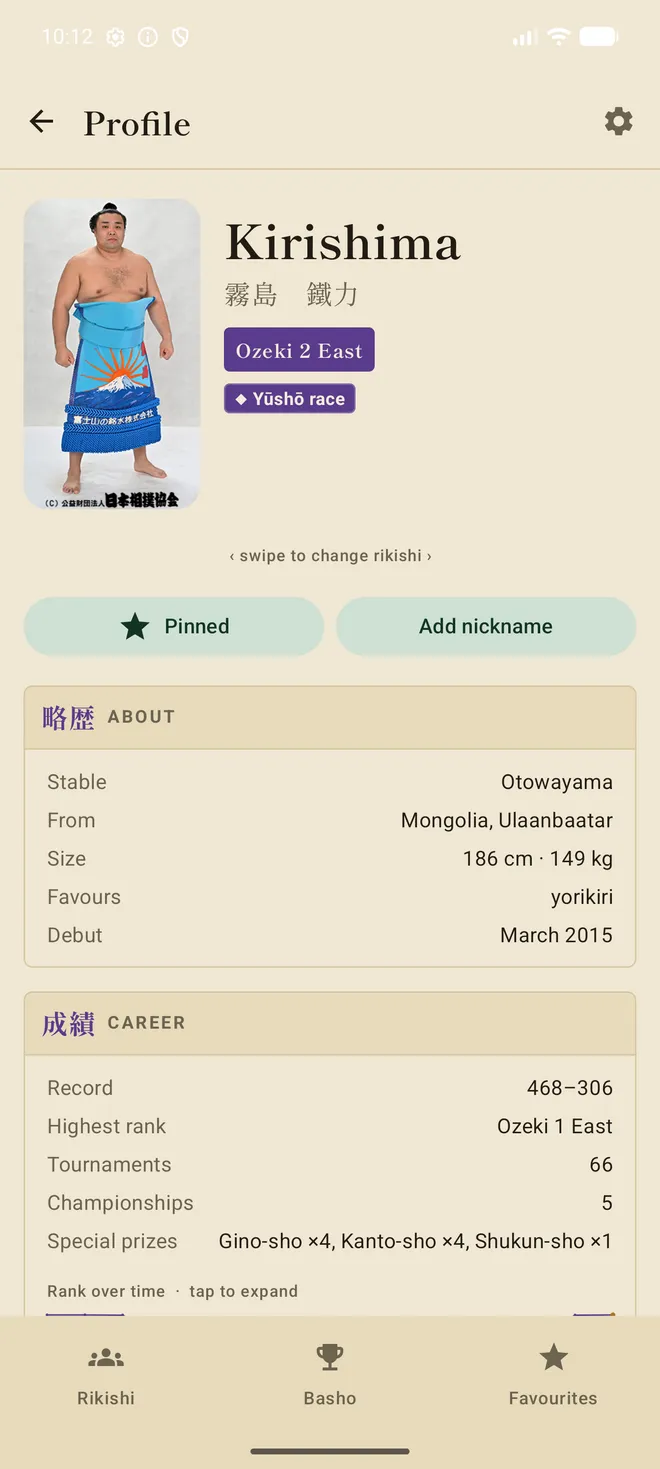
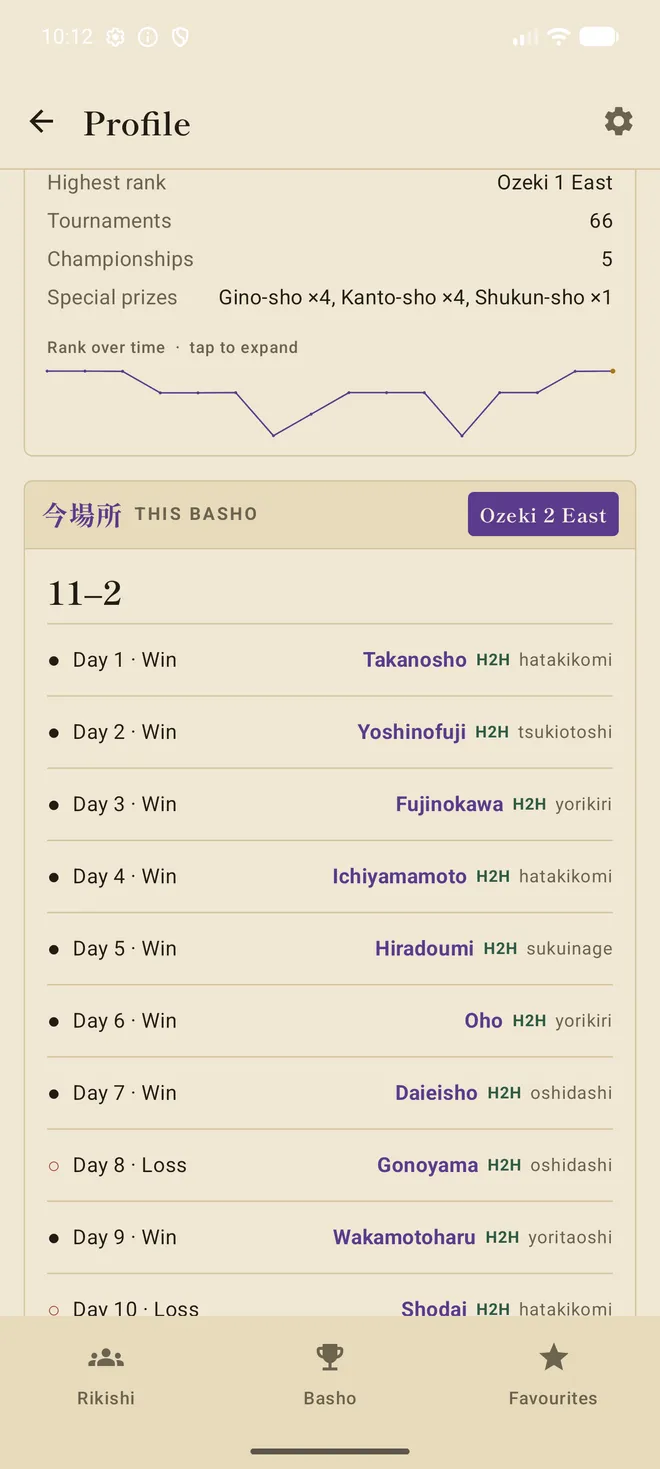
Tap any wrestler for the full picture — career record, championships and special prizes, highest rank, a rank-over-time chart, their favoured winning technique, and a day-by-day of this tournament with head-to-head history against every opponent.

A rikishi profile with portrait and career stats
A rikishi's day-by-day results this tournament
SPOILER-SAFE

Follow the basho — without spoilers

The one that matters most. During a live tournament the newest day's results stay behind the curtain until you lift them, so you can watch the broadcast first. Reveal a day and it stays revealed — only a newer, unwatched day is ever hidden.

◆ the whole reason it exists
The maku curtain hiding today's results until tapped
贔屓FAVOURITES

Your rikishi, front and centre

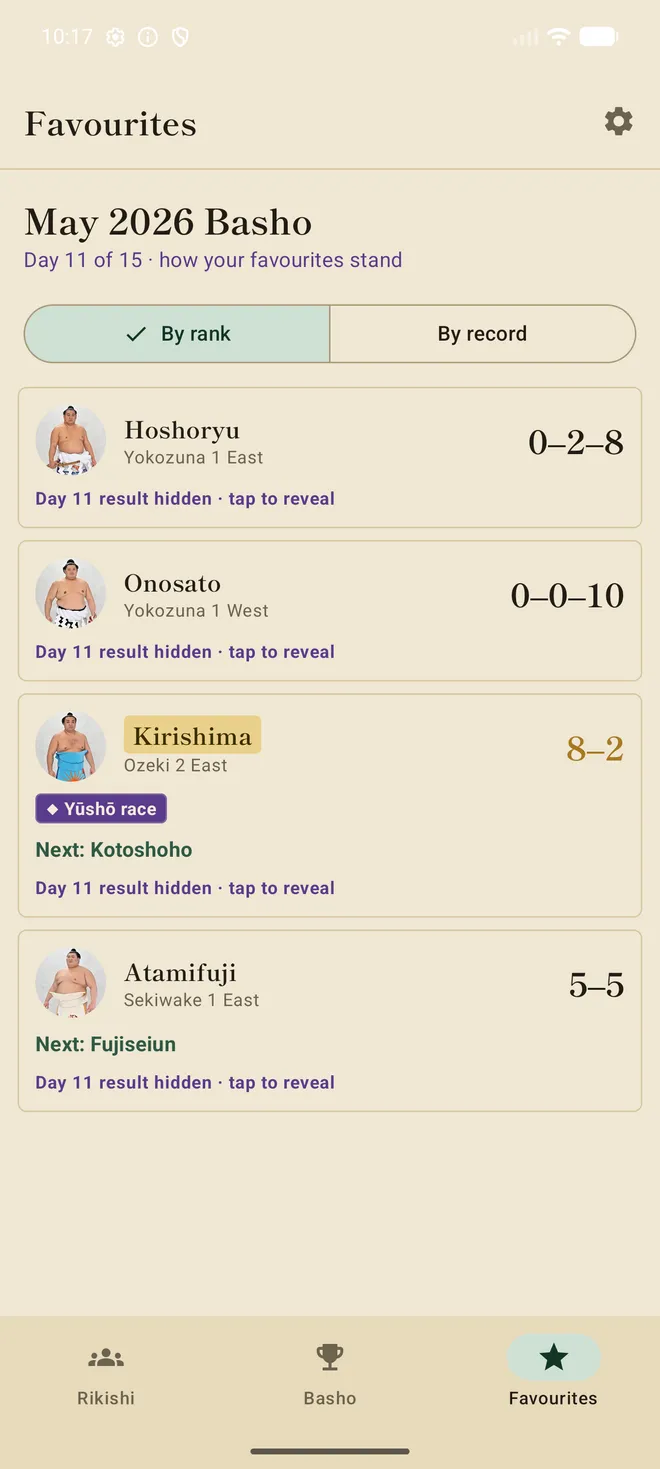
Pin the wrestlers you follow and get a dashboard of how they stand — their record so far, the storylines around them, and who they face next. Sorted your way, spoiler-aware, one tap from their profile.

The Favourites dashboard showing pinned wrestlers' standings
幕下NEW · MAKUSHITA

Down into Makushita

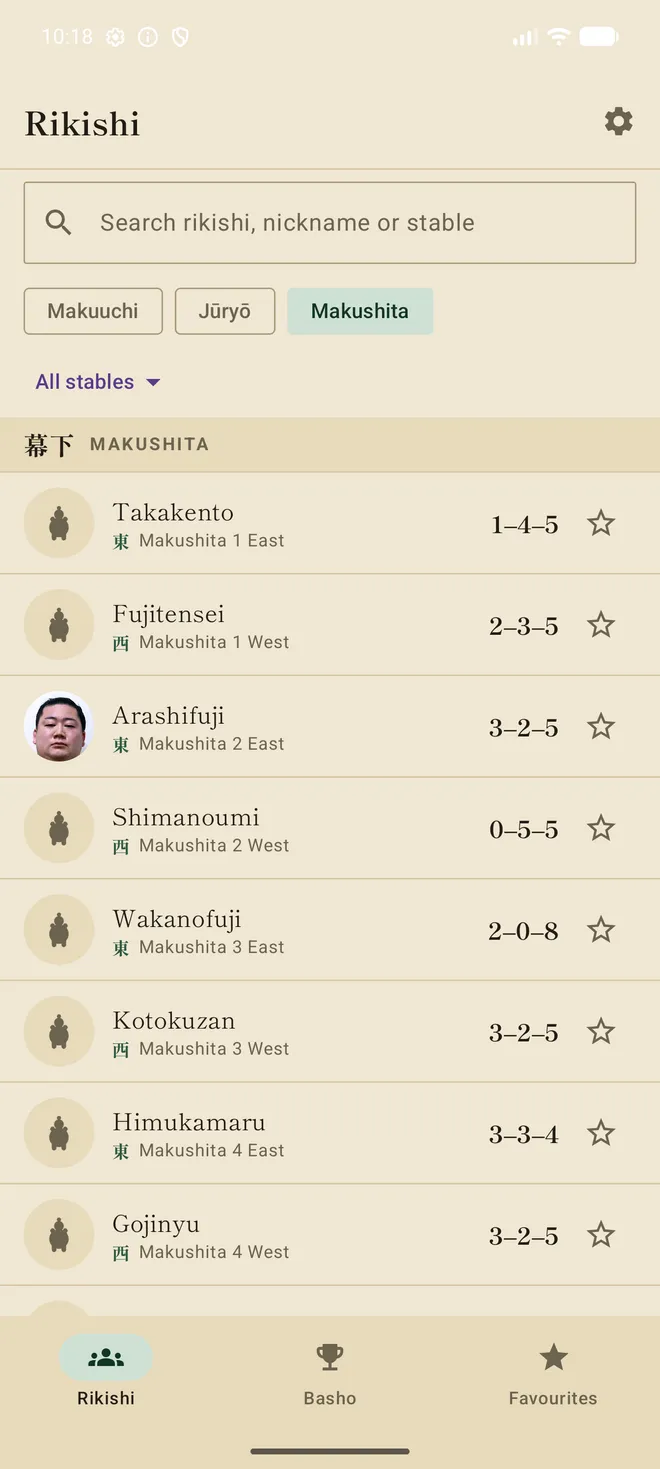
The third division is here too — so a Makushita man called up to fight a sekitori is now a real, tappable profile. Wrestlers without an official portrait get a hand-drawn sumo mark; those who've been up in the salaried ranks keep the photo we already have.

The Makushita division list with placeholder marks

Getting it on your phone

入 · INSTALL IN A MINUTE
📱 You'll see a safety check — that's completely normal. Because this is a private app (not from the Play Store), your phone double-checks before installing. It's safe — just follow the steps.
  1. Tap Download the app, then open the downloaded file.
  2. If asked, allow installing from this source (you only do this once).
  3. If Google Play Protect appears, let it Scan — you'll get a green tick and can carry on. If instead it warns, tap More details then Install anyway (sometimes Install without scanning). Normal for a private app.
  4. Open Torikumi and create your account, or sign in.